

Build a site inspired by any site you love
Name a site you love and the Stack48 AI website builder matches its palette, fonts and layout, searches the live web and shows every source. Now in the editor.
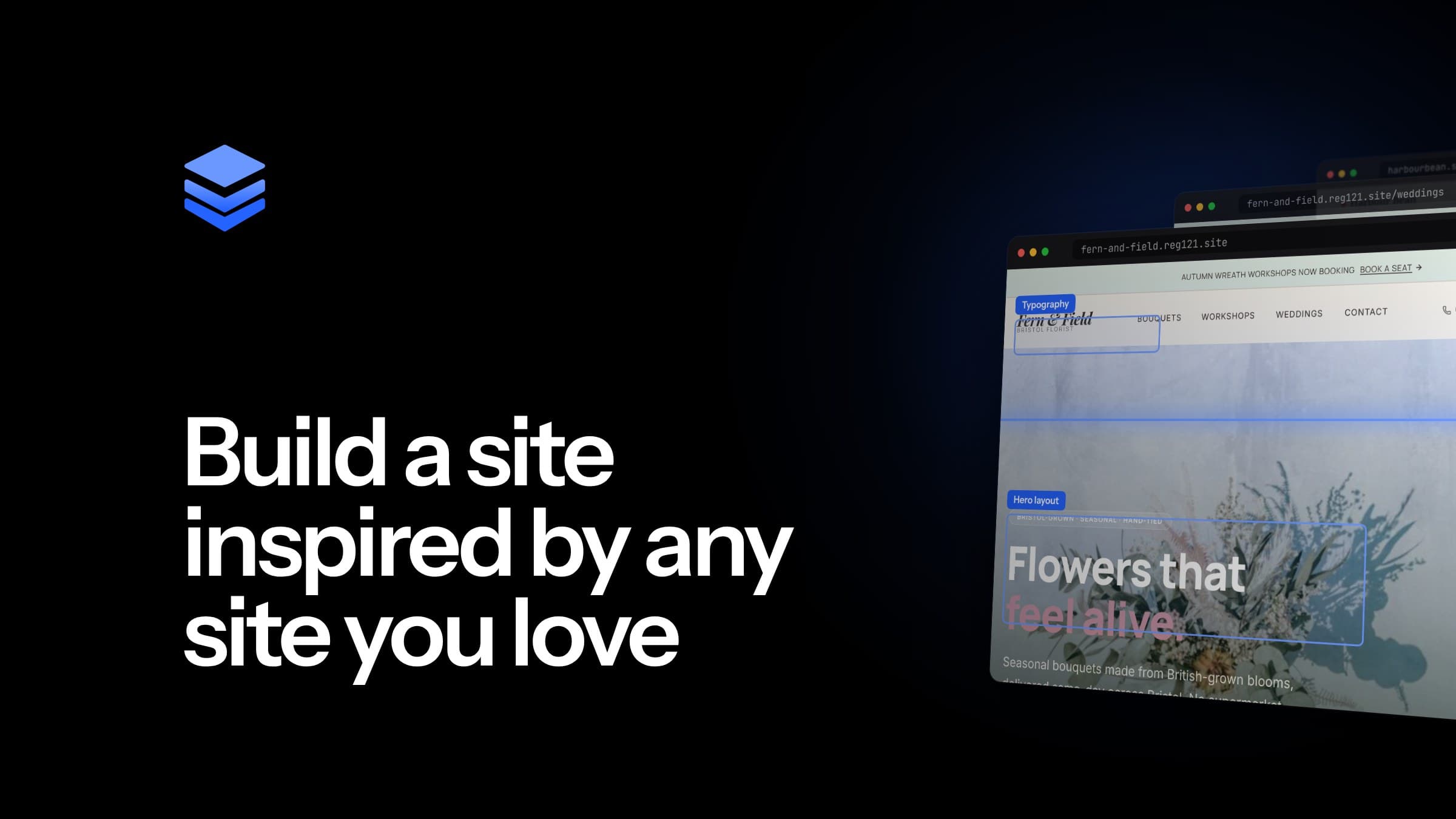
Every designer has said it at some point: "I want it to feel like that site." Until now, getting an AI tool to act on that meant describing the look in words and hoping it understood. Not any more. The Stack48 AI editor can now read the live web while it builds or changes your site, which makes it far easier to make your website look like another website you admire, without copying it. Name a site you like, ask about something current, or paste a link, and the AI reads it and uses what it finds.
It's live in the Stack48 editor now, as part of the same chat you already use to build and edit your site.
What's new: an AI website builder with web access
Until now, the editor worked from your brief, your existing site and what the AI already knew. With web access, the edit agent can also look things up on the live web as part of a job. In practice, that gives it three new abilities:
- Reading a site for its style. Name a site, such as "make my homepage feel like stripe.com", and the AI reads that site. It works out the colour palette, fonts and layout, and it looks at a screenshot, so it can match the look and feel visually, not just from a written description.
- Searching the web. The AI can search for up-to-date information, such as industry facts, current trends or examples, rather than relying only on what it already knows.
- Reading specific pages. Give it a page and it opens it and pulls out the useful content. It skips menus, footers, author bios, newsletter sign-ups and other clutter, so it works from the substance of the page rather than the furniture around it.
Everything happens inside the normal chat editor. While the AI works, you see live progress lines such as "Looking up…" alongside the usual build activity, so you always know what it's doing.
How to make your website look like another website, without copying it
"Make it look like that" is one of the most natural design briefs there is, and one of the hardest to put into words. Ask ten people to describe a site they love and you'll get "clean", "modern" and "premium" ten times over. None of those words tells anyone which typeface to use or how much space to leave around a headline.
With web access, you don't have to translate the look into adjectives. You point at it. The AI reads the reference site, works out its palette, type and layout, and checks a screenshot so it understands the composition as well as the code behind it. Then it applies that direction to your site.
The important part is what it doesn't do. Reference sites are used for direction: palette, type and layout. The AI is told not to copy wording or content word for word. You get a site in the style you're after, with your own business, your own words and your own offer. It's still your site.
That's how good designers have always used references: as a mood board, not a template. It also fits how Stack48 already builds sites. As our how it works page explains, every site is planned and generated for that specific business rather than picked from a theme, and the AI website builder creates a complete multi-page site from one shared design system. A reference site now feeds directly into that design system, so the style carries across every page instead of only the one you were looking at.
Paste links straight into your request
There's no separate upload step, no reference form and no special mode to switch on. Any link you include in your message is picked up automatically, up to five links per message.
That makes it easy to combine sources in one request. You might paste a site whose layout you like, a page of industry guidance you want summarised on your services page and the client's current site, all in one message.
If you're redesigning a site that already exists, you can still start by pasting its address so Stack48 rebuilds your existing website in the editor. Web access then lets you bring in references to steer the redesign from there.
See what happened to every link
Every link in your message shows a status chip underneath it, so you can see at a glance what the AI did with it. Statuses include:
- Being read
- Read for style
- Read
- Couldn't be reached
- Added to your site, with how many places
No more guessing whether the AI actually looked at the link you pasted.
Answers you can check: sources are always shown
When an AI tool tells you something about your industry, you should be able to see where it came from. That matters even more when the information ends up on a client's live website.
While the AI works, source cards appear as it looks things up. Its final reply then includes a Sources section that links each site it used and says what it was used for. The AI is told never to invent a source.
For agencies and freelancers, that's the difference between a draft you have to fact-check from scratch and one you can review quickly. It's a practical help when you're building sites for clients and need to stand behind every claim on the page.
How to use web access in the Stack48 editor
You don't need to learn anything new. Open a site in the editor and ask in plain English. Here's a simple walkthrough.
- Open your site in the editor. Start from a description or from a site you already have. Stack48 is free to start, with no credit card required.
- Name a reference or paste a link. Tell the AI which site's style you like, or paste up to five links into your message.
- Say what you want from it. Be clear about whether you want the style, the facts or both, and which part of your site it applies to.
- Watch the progress and the chips. "Looking up…" lines and source cards show what's being read, and each link's status chip shows what happened to it.
- Check the Sources section. Review what was used and why, then keep refining by chat or by clicking the page.
Example prompts
- "Make my homepage feel like stripe.com, but keep my logo colours."
- "Use the layout and type of this page for our services section: [link]. Keep our own copy."
- "Search for current trends in restaurant websites and suggest two changes to my homepage."
- "Read this guide [link] and add a short, accurate FAQ to the pricing page, in our own words."
- "Here are three sites I like [links]. Pull a calmer palette and more generous spacing from them for the whole site."
The more specific you are about what to borrow, the closer the result will be. "The spacing and the type, not the colours" gives the AI far more to work with than "like this one".
Safe by design
Reading the open web brings risks that any responsible AI website builder has to take seriously. Web access in the Stack48 editor was built with those risks in mind.
- Web content is treated as untrusted reference material, never as instructions. A page can contain hidden text written to steer an AI, a technique known as prompt injection. The Stack48 editor treats everything it reads on the web as reference material only, which guards against hidden text on a page trying to steer the job.
- Addresses are checked before anything is fetched. This blocks attempts to reach internal or private network addresses, a class of attack known as server-side request forgery (SSRF).
- Screenshots aren't kept. Screenshots of reference sites are held in memory for that one job only. They're never stored or saved into chat history.
Built-in limits that keep jobs focused
Each job is allowed a small, fixed number of web searches and page reads, including up to 5 web searches. That keeps every job focused on what you asked for and keeps costs predictable. Reads of the same reference site are cached for 30 minutes, so if you go back and forth on a design using the same reference, the editor doesn't need to fetch it again every time.
Who it's for
Web designers and agencies. Clients rarely arrive with a design spec. They arrive with a link and "something like this". Now you can paste that link straight into the editor, get a first draft in that direction, and keep shaping it with the client. If you manage several client sites, the Agency plan is built for that kind of work. For more on how Stack48 fits a designer's workflow, read why designers need an AI website editor that can keep up.
Small businesses. You probably know which competitors' or neighbours' websites you like, even if you can't say why. Name them, and the AI does the translating. Our page for small businesses explains how Stack48 gets you a live site without technical setup, and our guide to what a small business website costs breaks down the running costs. Tradespeople can find practical advice in our website guide for tradespeople.
Anyone writing content. When a page needs current industry facts or examples, the AI can look them up and show you where they came from, rather than relying only on what it already knows. Combined with the meta titles, structured data and semantic headings Stack48 generates for SEO on every page, that gives new pages a strong starting point.
How it fits with the rest of Stack48
Web access is one more tool for the agents in the editor, not a separate product. It works alongside the multi-agent editor, which lets a lead agent split large requests across several agents working at the same time.
Stack48's agentic harness is designed specifically for the website design industry, and it mainly uses Claude models by Anthropic. Every site, including those on the Free plan, comes with Stack48 Cloud for hosting, the database and the backend behind forms, and you can connect a custom domain on every plan.
If you're weighing up your options, our comparisons with other AI website builders, DIY website builders and web agencies set out where each fits. We've also looked at how AI website builders compare with traditional website builders, and at Stack48 versus a general-purpose coding agent for building a website.
Point at the look you love
"Make it look like that" used to be the start of a long conversation. Now it's a single message. Name a site, paste a link or ask a question, and the Stack48 editor reads the live web, applies what it finds to your site in your own words, and shows you exactly where everything came from.
Start building on Stack48 for free and try it on your own site.
Frequently asked questions
- Does Stack48 copy the website I use as a reference?
- No. Reference sites are used for direction, such as the colour palette, fonts and layout. The AI is told not to copy wording or content word for word, so you get a site in the style you're after that is still your own.
- How do I make my website look like another website with Stack48?
- Open your site in the Stack48 editor and name the site you like, or paste its link, for example "make my homepage feel like stripe.com". The AI reads that site, works out its palette, fonts and layout, looks at a screenshot and applies that direction to your site.
- How many links can I paste into one message?
- Up to five. Any link you include in your message is picked up automatically, with no separate upload step or form, and each one shows a status chip underneath it so you can see what happened to it.
- Is it safe to let an AI website builder read the web?
- Stack48 treats web content as untrusted reference material, never as instructions, which guards against hidden text on a page trying to steer the AI. Addresses are checked before anything is fetched, blocking attempts to reach internal or private network addresses, and reference-site screenshots are held in memory for that one job only and never stored or saved into chat history.
- Can I see where the AI got its information?
- Yes. Source cards appear while the AI works, and its final reply includes a Sources section that links each site it used and says what it was used for. The AI is told never to invent a source.
- Is there a limit on how much the AI searches?
- Yes. Each job is allowed a small, fixed number of web searches and page reads, including up to 5 web searches, so jobs stay focused and costs stay predictable. Reads of the same reference site are cached for 30 minutes.